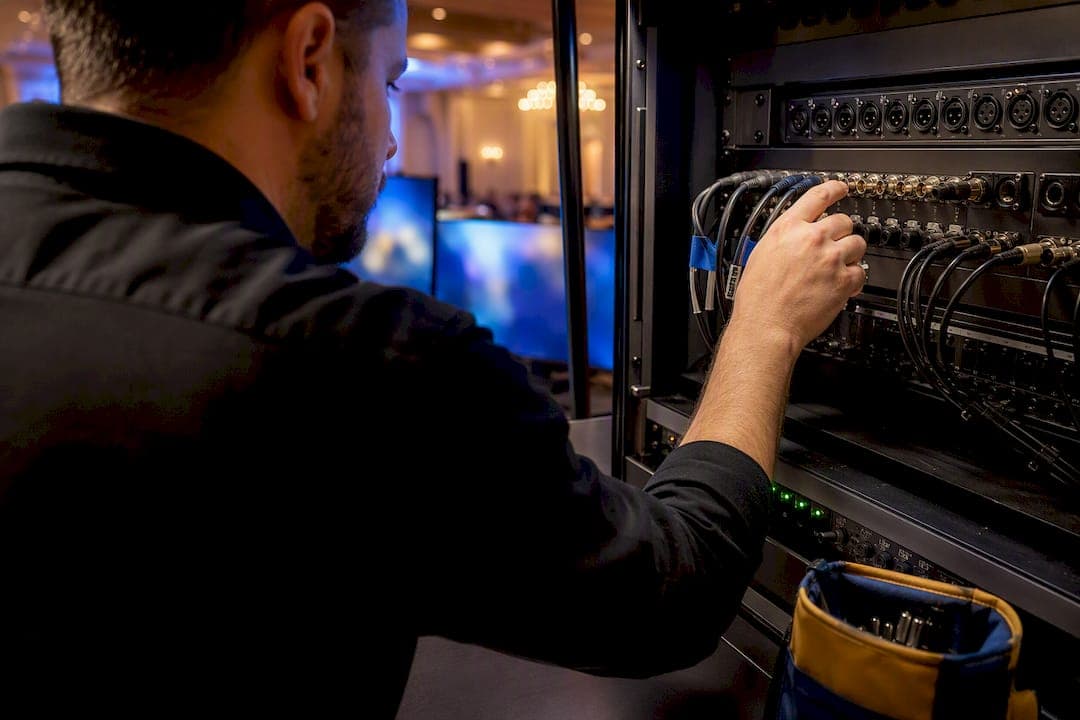
A reliable event AV checklist confirms every audio, video, lighting, power, and network path before doors open. Use one built on the AVL framework of audio, video, and lighting, the ADA's accessibility guidance, and a venue operator's load-in experience, and you'll walk into show day knowing exactly what's covered and what still needs a backup plan.
TL;DR:
- Venue site visits should verify rigging points, load limits, power capacity, and internet options to prevent last-minute delays or restrictions.
- Planning should start at least 12 weeks in advance for large events, with specific preparations for technical rehearsals and content reviews scheduled accordingly.
- A detailed signal flow diagram and power plan are critical to ensure quick failover, proper responsibility assignment, and safe, reliable connections during the event.
- Labeling all cables, cases, and creating comprehensive documentation reduces setup and teardown time and protects against equipment loss or damage.
- Coordinating with the venue early on, including permits and load-in schedules, minimizes conflicts and ensures AV infrastructure is integrated seamlessly.
Table of Contents
- Event AV Checklist: Core Equipment by Category
- What Should You Check During a Venue Site Visit?
- When Should You Start Planning Event AV?
- How Do You Build a Signal Flow and Power Plan?
- What Happens During Technical Rehearsal and Show Day?
- What Accessibility Features Belong on Your AV Checklist?
- What Spares and Tools Should Every AV Team Pack?
- How Do You Handle Teardown and Equipment Inventory?
- Do You Need Permits for Event AV Setups?
- What Safety Protocols Protect Your AV Setup?
- How Should Your AV Team Communicate During the Event?
- How Should You Label and Document AV Cables and Gear?
- A Venue Operator's Take on AV Coordination
- Book a Venue With AV Already Built In
- Sources
- FAQ
Event AV Checklist: Core Equipment by Category
A gear list only works if you organize it by system, not by item. Vendors quote faster and more accurately when you hand them categories instead of a vague "we need sound and screens."
Audio. Your quote request should specify main PA and subs sized to the room, delay speakers for long or wide venues, a front-of-house mixer plus a separate monitor console if there's a stage performance, wireless mic systems with backup frequencies, DI boxes for any line-level source, and spare batteries and spare handheld or lavalier mics on hand at all times.
Video. List your main display, whether that's an LED wall or projection, with resolution and brightness specs matched to ambient light in the room. Add a video switcher, a playback or media server for slides and video content, cameras if you're doing IMAG (image magnification) or streaming, confidence monitors for presenters, and a stack of adapters and spare cables. HDMI to USB C failures are the single most common last minute scramble at corporate events.
Lighting. Cover stage wash for even coverage, key or front light so cameras and audiences can actually see faces, moving fixtures if the event needs visual variety, a lighting control console, and confirmation that the venue's power can handle your dimmer and fixture load. Safety cables on any truss mounted or elevated fixture are non negotiable.
Production and general. This is the category planners forget until something breaks: power distribution units, cable ramps to protect walkways, a basic tool kit, gaff tape, intercoms for crew communication, and a production binder holding every cue sheet, contact list, and technical drawing for the day.
Cross reference each category against your venue's built in capabilities. A room with a fixed projection wall and built-in projector may cut your video rental in half.
What Should You Check During a Venue Site Visit?
A walkthrough is where AV plans either get validated or fall apart. Bring a tape measure, a notepad, and this priority order:
- Measure room dimensions, ceiling height, stage depth, and sightlines from the back row and the sides.
- Confirm rigging points and load limits, and document trim heights and available grid points if you're hanging lighting or a screen.
- Check power: how many circuits, what amperage, where the panel is, and whether the venue provides distribution or expects your vendor to bring it.
- Test the internet connection and ask about options for a dedicated production uplink separate from guest Wi-Fi.
- Walk the load-in path, including elevator dimensions, door clearances, and where trucks can stage and unload.
- Ask about house AV exclusivity, whether an in-house operator is required, and any insurance or contract clauses that limit outside vendors.
Planners who skip step six often find out too late that a venue's AV exclusivity clause forces an unplanned rental swap. A venue's decision guide on room setups can help you match seating geometry to sightline needs before you commit to a layout.
When Should You Start Planning Event AV?
Lead time scales with event size, and starting late is the fastest way to pay rush fees or lose your first-choice vendor. Industry guidance recommends beginning AV planning at least 12 weeks before a large event, with complex productions needing 16 to 20 weeks.
- Small events (3 to 4 weeks out): discovery call, basic gear spec, venue confirmation, content collection.
- Medium events (6 to 8 weeks out): add a formal venue walkthrough, vendor quoting and comparison, and a draft run of show.
- Large or complex events (12+ weeks out): layer in technical rehearsal scheduling, redundancy planning, and multiple content review passes.
Regardless of scale, phases follow the same order: discovery, spec and quoting, venue walkthrough, content collection, technical rehearsal, load-in, show day, strike. Freeze your run of show 48 to 72 hours before doors open. After that, only emergency changes go in. Anything else waits for the next event.
How Do You Build a Signal Flow and Power Plan?
A gear list tells you what you're renting. A signal flow diagram tells you how it all talks to each other and who's responsible when something drops. Industry checklists increasingly treat this as the real differentiator between a systems checklist and a shopping list.
- Sketch every source (mics, laptops, cameras), every processor (mixers, switchers, encoders), and every destination (speakers, screens, stream), then label who owns each connection.
- Note connector types, resolutions, and signal paths for both the primary and backup route, so a failover during the show is a five-second swap, not a scramble.
- Confirm circuit count and amperage, plan a UPS for any critical rack (recording, streaming, show control), and agree on a power-up sequence with the venue's electrician.
- For streaming, plan a dedicated network path with adequate upload bandwidth, and add a bonded cellular backup as a second path if the primary connection fails.
Pro Tip: Keep one pre-configured "backup" encoder profile ready to go. If your primary stream drops, switching to a saved profile takes seconds instead of the two or three minutes it takes to rebuild settings live.
What Happens During Technical Rehearsal and Show Day?
Technical rehearsal is where you catch problems while there's still time to fix them, not while a keynote speaker is walking on stage.
- Run a full end-to-end test: mics live, cameras rolling, switcher cutting between sources, lighting cues firing, and the stream actually ingesting on the platform you're using.
- Check every wireless mic for RF interference and confirm video files play in the correct codec and aspect ratio; presenters should submit tested files in advance whenever possible.
- Assign clear cue ownership. Front of house, monitors, lighting director, and technical director each need a named owner and a radio channel.
- Run three quick checks on show day itself: a pre-doors systems check, a pre-keynote mic and slide check, and an intersession reset between segments.
What Accessibility Features Belong on Your AV Checklist?
Accessibility planning belongs in the same checklist as your mics and screens, not bolted on afterward. Public accommodations should provide appropriate auxiliary aids and services when a request is reasonably anticipated, and last-minute captioning almost always fails.
- Choose an assistive listening device system based on venue size: FM works well for large or outdoor spaces, IR suits rooms needing signal privacy, and an induction loop serves hearing-aid users directly without a receiver. The National Deaf Center's technology guide breaks down which fits which venue type.
- Plan live captioning for any livestream and on-screen captions for in-room displays where budget allows.
- Stage interpreters where the audience can see both the speaker and the interpreter, assign them a dedicated mic feed if needed, and post clear signage at entrances so attendees know where accessible seating and services are located.
What Spares and Tools Should Every AV Team Pack?
The failures that stall a show are rarely exotic. They're a dead battery, a missing adapter, or a cable nobody labeled.
- Spare XLR, HDMI, and power cables, plus a full set of common adapters.
- Extra batteries, spare lamps or fuses, backup DI boxes, and at least one spare wireless and one spare wired mic.
- A multimeter, cable tester, basic toolkit, gaff tape, cable ramps, and a roll of labels.
- Printed channel lists, a backup copy of every show file, an emergency contact sheet, and vendor receipts in the production binder.
How Do You Handle Teardown and Equipment Inventory?
Strike is where rented gear goes missing and damage claims get disputed, and it happens because teams rush it. Treat teardown with the same discipline as load-in.
Start with a pre-strike walkthrough while equipment is still powered and functioning. Photograph any damage or wear before you touch a single cable, so there's a clear record if a rental company disputes a charge later. Power down systems in reverse order from how you powered them up: sources first, then processors, then amplification, protecting speakers and screens from power surges during shutdown.
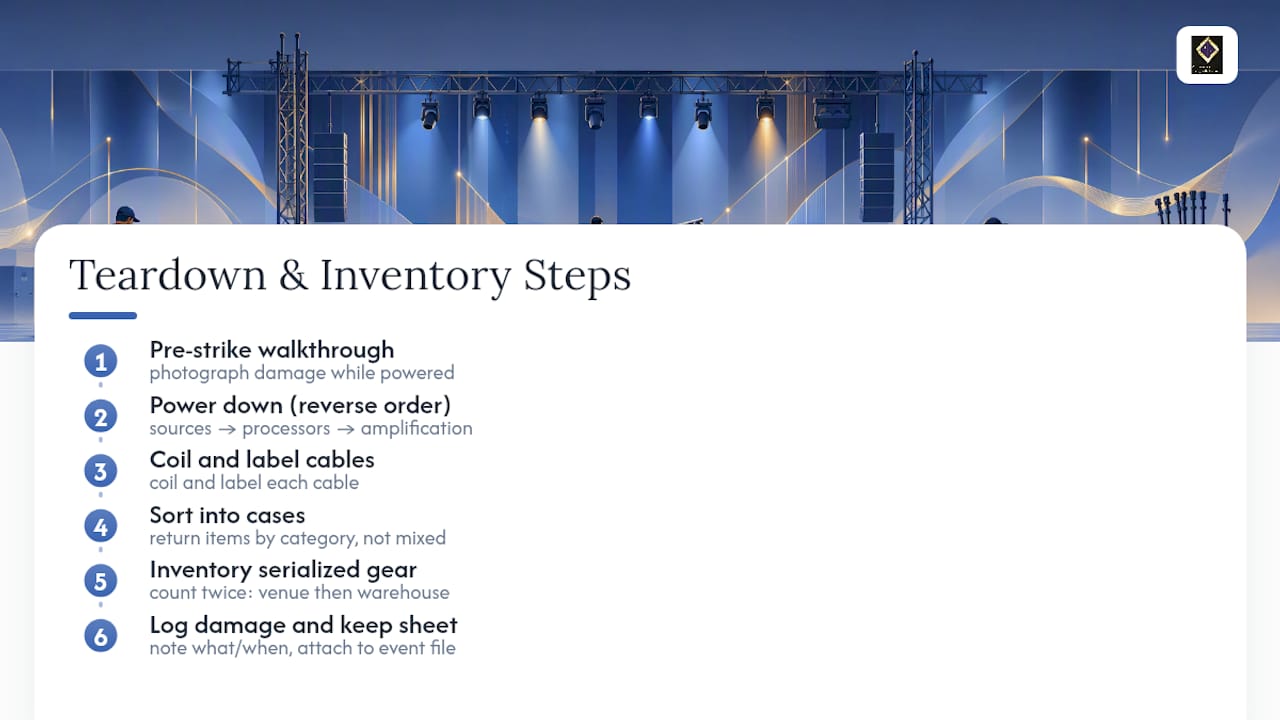
Coil and label every cable as it comes down, and sort it back into cases by category rather than tossing everything into one bin. An inventory sheet matched against your original pull list catches missing items before the truck leaves, not three days later when the rental company calls asking where a wireless mic went. Count and verify serialized gear, like cameras and wireless transmitters, against that sheet twice: once at the venue, once back at the warehouse.
Log any damaged or malfunctioning equipment immediately, with notes on what happened and when. This protects your team from liability and gives the rental vendor accurate information for repair or replacement. Keep the completed inventory sheet with your event file. It becomes the reference point for the next event of the same size and saves real time on your next spec.
Do You Need Permits for Event AV Setups?
Yes, in many cases, though what triggers a permit depends on your city and your setup. Rigging points, elevated structures, generator use, and any temporary power distribution that ties into a building's electrical system often require local permits or a licensed electrician's sign-off. Fire marshals in many jurisdictions also review cable placement across walkways and any equipment blocking a marked exit.
Start by asking the venue directly. Most established venues, including hotels and dedicated event halls, already know which permits their local jurisdiction requires for AV and staging work, and many maintain relationships with the same electrical contractors and fire inspectors. That local knowledge is worth more than a generic checklist, because permit rules vary block by block in some cities.
If you're bringing in outside rigging, elevated screens, or a generator for an outdoor event, get written confirmation from the venue on what's permitted and whether they require your vendor to carry specific insurance or certification. A security and permitting plan built 30 to 90 days out gives you enough runway to get sign-offs without holding up the rest of your production schedule. Skipping this step is one of the more expensive mistakes in event planning: a stop-work order on show day costs far more than the permit fee ever would.
What Safety Protocols Protect Your AV Setup?
Safety on an AV setup isn't a separate checklist. It's baked into how you rig, route, and power everything.
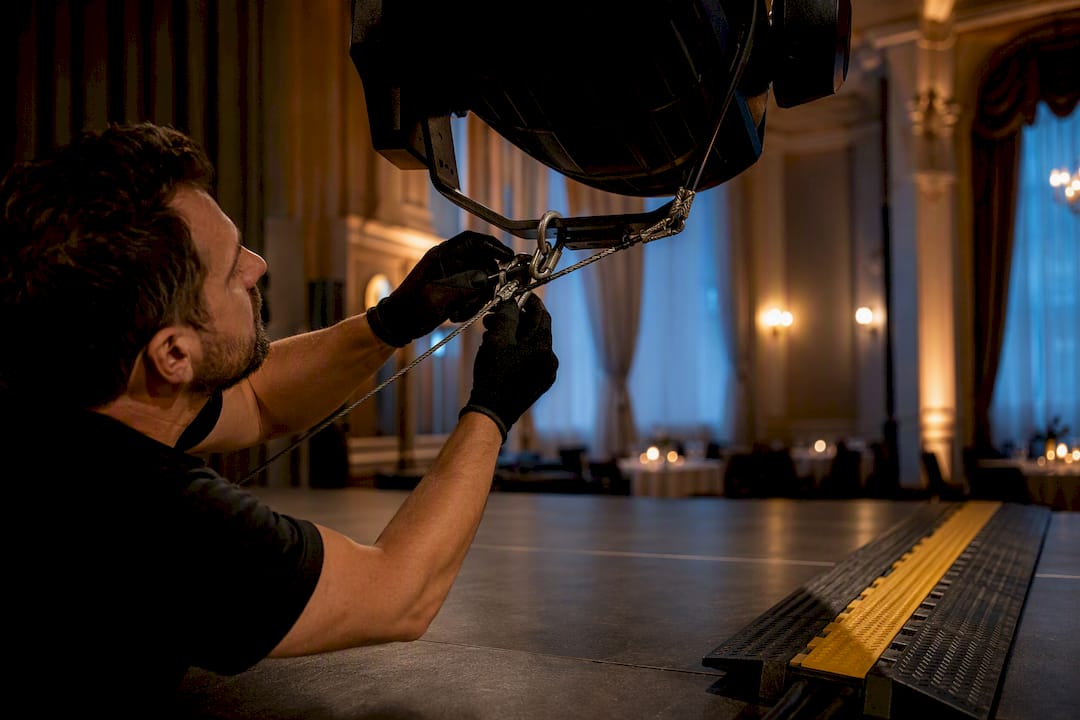
Any fixture mounted above head height, whether it's a moving light or a truss-hung speaker, needs a secondary safety cable in addition to its primary mount. This is standard practice in touring and corporate production, and most venues will require it regardless of your own preference. Route cables away from foot traffic wherever possible, and where they must cross a walkway, use cable ramps rather than tape alone. Tape lifts. Ramps don't, and they meet fire code in most jurisdictions that tape does not.
Power safety comes down to sequencing and grounding. Power up sources before amplification, and shut down in reverse order to protect speakers from surge damage. Confirm every distribution box is properly grounded before connecting to venue power, and never daisy chain power strips beyond what the circuit is rated for. If you're running a generator, keep it far enough from the building and any gathering area to avoid carbon monoxide risk, and confirm exhaust direction before your event starts, not during it.
Assign one person on your crew as the safety point of contact for the day. When something looks wrong, whether it's a frayed cable or a fixture that's come loose, everyone on the team needs to know exactly who to flag it to and how fast it gets addressed.
How Should Your AV Team Communicate During the Event?
The best AV plan falls apart without a reliable way for the team to talk to each other in real time. Two-way radios remain the standard for live production because they work without relying on cell signal, which can get congested in a packed venue. Assign separate channels for FOH, lighting, and stage management if your event is complex enough to need it, so one department's chatter doesn't drown out another's.
For coordination that happens before the event or between sessions, text-based tools work better than radio. A structured event communication plan that maps out who needs to know what, and when, prevents the common failure where a schedule change reaches the caterer but not the AV lead. Build a simple call sheet that lists every crew member's role, radio channel, and phone number, and distribute it the morning of the event, not the night before when half the team has already left their phone on silent.
Whatever system you use, designate one person as the single point of contact for schedule changes. When multiple people are relaying instructions independently, cues get missed and crew members end up executing conflicting versions of the same plan.
How Should You Label and Document AV Cables and Gear?
Unlabeled cable runs are one of the fastest ways to turn a five-minute fix into a thirty-minute one. Label every cable at both ends with its source, destination, and signal type, using tape flags or printed cable labels rather than handwritten marker that smudges by the second hour of load-in.
Your production binder should hold a full channel list for audio, a device list for video sources and destinations, and a labeled copy of your signal flow diagram showing exactly which cable runs where and who owns each connection. This same documentation habit pays off again at strike, when you're matching gear back to a pull list before it goes back in the truck.
Case labeling matters just as much as cable labeling. Mark every road case with its contents and destination area (FOH, stage, booth) so setup and teardown both move faster with less guessing. Keep a digital backup of your channel list and signal flow diagram, not just a printed copy, since paper gets lost or coffee-stained by hour six of a long show day.
A Venue Operator's Take on AV Coordination
Most planners assume the venue and the AV vendor operate on separate tracks until show day, and that assumption causes more delays than any equipment failure. In practice, the venue controls the clock: when catering sets up, when security arrives, when cleaning crews need the room clear the night before. AV load-in has to fit inside that schedule, not the other way around.
The venues that make this easy hand planners a simple package before the walkthrough even happens: a floor plan with power locations marked, confirmed load-in hours, and a point of contact who can approve rigging or power questions on the spot. That handoff, more than any single piece of gear, is what keeps a technical rehearsal from running late.
— MARTIN
Book a Venue With AV Already Built In
A lot of the friction in this checklist disappears when your venue already has core AV infrastructure in place. An event venue with a large projection wall and built-in projector already installed can often reduce video specing needs to confirming laptop adapters instead of renting a full display system from scratch.
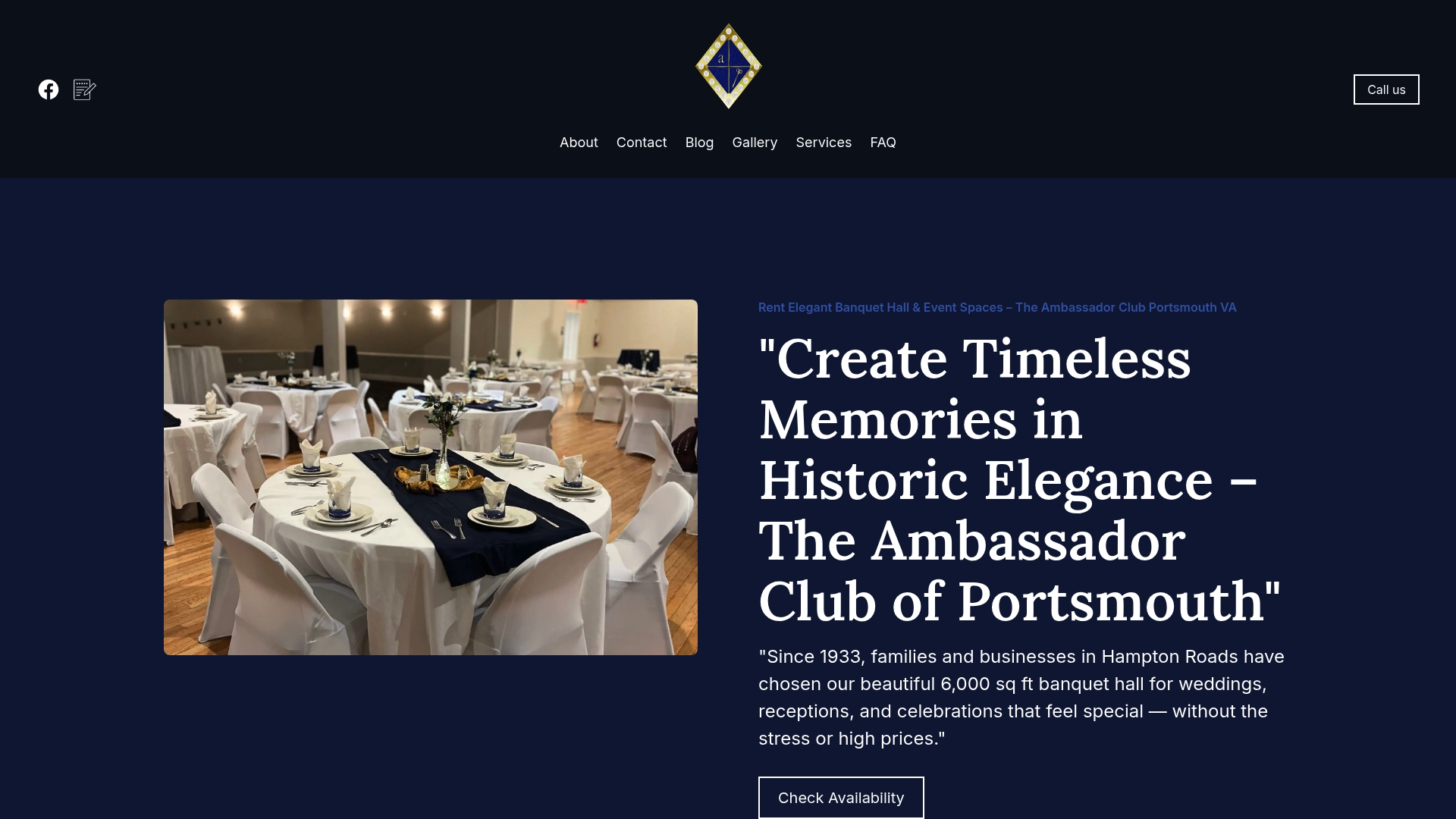
The hall's full commercial kitchen and flexible outside catering policy also mean your AV timeline doesn't have to compete with a caterer fighting for the same load-in window, since kitchen operations run on their own track. Whether planning a wedding reception, corporate event, or milestone celebration, choosing a venue designed to facilitate AV setup can reduce logistical variables to manage. Visit Ambassadorclubportsmouth to check availability and schedule a site visit to see the projection wall and load-in access in person before you finalize your AV plan.
Sources
- Ada
- Av
- The Event Manager's Complete AV Checklist — FPC Events
- AVL equipment checklist — SoundPro
- Assistive listening systems guide — National Deaf Center
FAQ
What are the 5 C's of an event?
Definitions vary across the industry, but a commonly cited version covers concept, coordination, control, culmination, and closeout, tracking an event from initial idea through post-event wrap-up.
What is AV in event management?
AV stands for audio-visual, the sound, video, and lighting systems that let attendees hear, see, and engage with content at an event, plus the network and power infrastructure that supports them.
How do I create an event AV checklist?
Organize it by system category (audio, video, lighting, power, network) rather than a flat gear list, then add site-visit measurements, a signal flow diagram, and a rehearsal and teardown plan, the way Ambassador Club structures load-in planning with clients.
What AV equipment do I need for a conference?
A typical conference needs a PA system with adequate coverage, a presentation display with a switcher and playback source, basic stage lighting, wireless microphones with spares, and a stable network connection with a backup path for any streaming component.