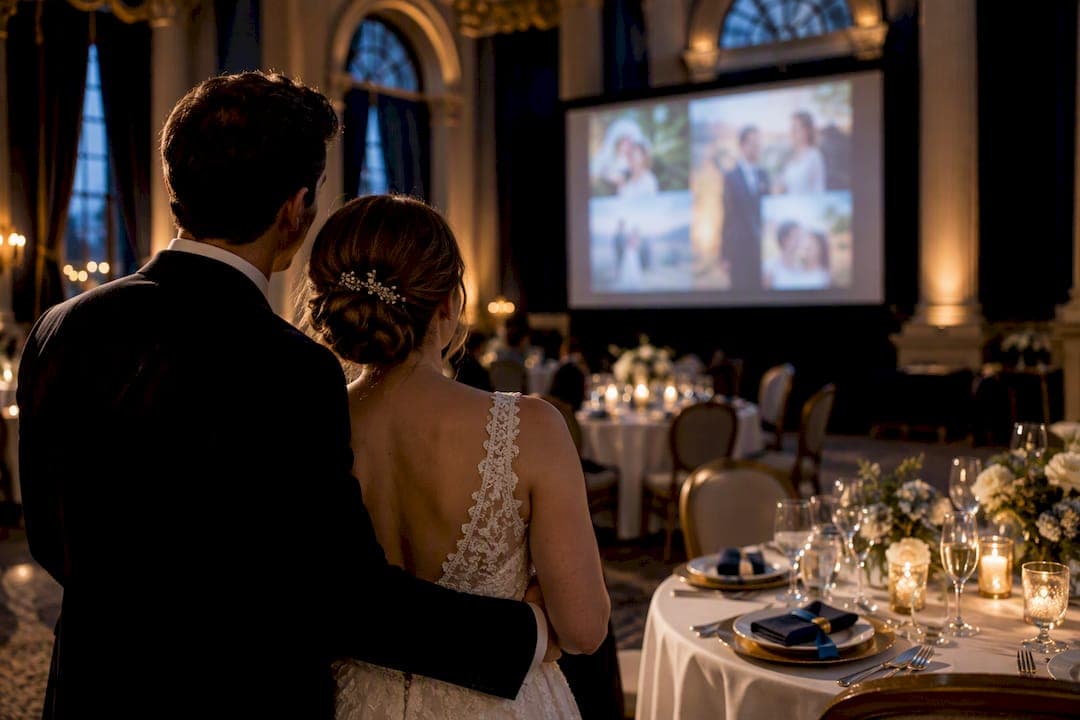
A wedding slideshow is appropriate when it's scheduled deliberately, not left to chance. Show it during dinner or run it as a quiet, low-volume loop during cocktail hour, and keep any dedicated presentation to roughly 4 to 8 minutes. Skip photos that could embarrass a relative or an ex, and test the file on the venue's actual screen before the big day. Get those three things right and the slideshow becomes a highlight instead of a distraction.
TL;DR:
- A wedding slideshow should be scheduled during dinner for focused attention and brief 4 to 8-minute presentations, avoiding interruptions from speeches or dancing.
- Use around 40 to 80 photos for a formal slideshow, with pacing of 5 to 7 seconds per image, adjusting shorter for older or very young guests.
- Incorporate all family members fairly, exclude divisive or embarrassing photos, and seek consent for photos involving others to prevent awkward moments.
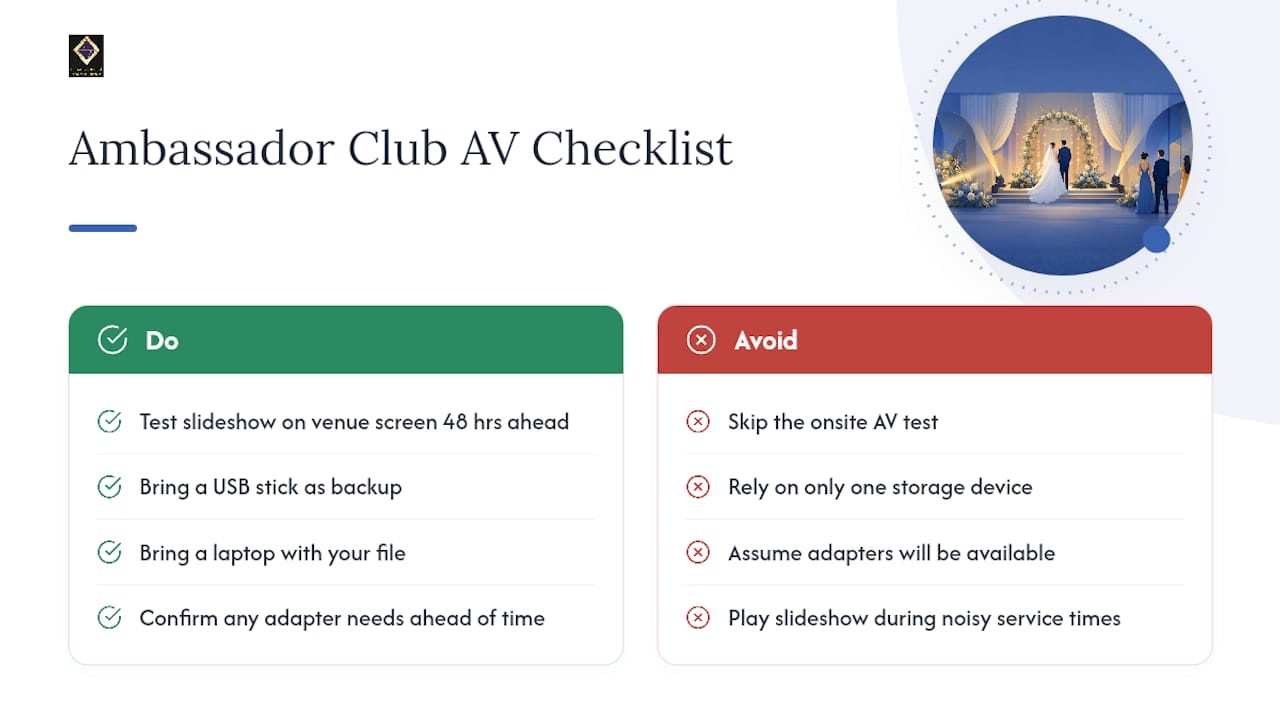
- Test the slideshow on the actual venue equipment 24 to 48 hours beforehand, bringing backup files, adapters, and clear instructions to avoid technical failures.
- Keep music licensing in mind by verifying venue licenses and opting for royalty-free tracks if the slideshow will be posted online later.
Table of Contents
- When Is the Right Time to Play a Wedding Slideshow?
- How Long Should a Wedding Slideshow Be?
- Choosing Photos and Captions Your Guests Will Actually Appreciate
- Music Selection and Licensing: What You Can Legally Play
- The Pre-Wedding AV Checklist Every Couple Should Run
- Structuring the Story So Guests Stay Engaged
- Coordinating the Slideshow With Your Venue and DJ
- Venue-Tested Tips From The Ambassador Club
- Getting Consent Before You Put Someone on the Big Screen
- Handling Sensitive Photos Without Making It Awkward
- A Venue Host's Honest Take on Slideshow Day
- How The Ambassador Club Makes Your Slideshow Easy to Get Right
- Sources
- FAQ
When Is the Right Time to Play a Wedding Slideshow?
Dinner service is the best window for a dedicated slideshow, especially when coordinated with vibrant food presentations that set the perfect timing and atmosphere. Guests are seated, forks are down for a moment, and attention naturally drifts toward the screen. Playing it during dinner also avoids competing with dancing, toasts, or the cake cutting, moments that need full attention on the people, not a screen behind them.
Rehearsal dinners give you more room to breathe. The crowd is smaller and closer to the couple, so a longer, more nostalgic edit works there in a way it wouldn't at the main reception. Cocktail hour calls for the opposite approach: a passive loop that guests glance at while they mingle, not something they're expected to sit and watch.
- Dinner service: dedicated 4 to 8 minute showing, full attention, music synced to pacing.
- Rehearsal dinner: longer, more personal edit for a smaller, familiar audience.
- Cocktail hour: a background loop with 150 to 200+ photos, low or no volume, meant to spark conversation rather than demand focus.
- Never during: speeches, the first dance, or cake cutting, unless a slideshow is specifically choreographed to run behind a speaker.
That last point trips up more couples than you'd think. A slideshow that starts rolling behind the best man's toast pulls eyes away from him at the exact moment he needs them. Save the screen time for its own slot.
How Long Should a Wedding Slideshow Be?
Four to eight minutes is the sweet spot for a formal, dinner-time showing. That's long enough to tell a real story and short enough that nobody checks their phone halfway through. A common guideline pairs that runtime with 40 to 80 photos, which keeps each image on screen long enough to register emotionally without dragging.
The math is simple once you know your target. Divide your desired runtime in seconds by your seconds per photo, and that's your photo count.
- Formula: photos = runtime in seconds ÷ seconds per photo.
- Example: a 6 minute slideshow (360 seconds) at 6 seconds per photo lands you at 60 photos.
- Pacing: 5 to 7 seconds per photo tends to feel emotional without stalling; drop below 4 seconds and the montage starts to feel rushed.
- Video clips: a 10 to 15 second clip eats up the same screen time as roughly two photos, so trim your photo count accordingly if you're mixing in video.
- Audience adjustment: trim toward the shorter end of the range for crowds heavy with young kids or older relatives who may lose patience with a long sit down presentation.
Cocktail hour loops break these rules entirely, since nobody's watching start to finish. That's where you can stretch to 150 or more photos on a longer rotation without anyone noticing the runtime.
Choosing Photos and Captions Your Guests Will Actually Appreciate
The safest rule in wedding slideshow etiquette is also the simplest: when in doubt, leave it out. If a photo makes you hesitate for even a second, it's not worth the risk of an awkward silence when it hits the screen in front of 150 people.
- Balance screen time between both partners. Guests on each side of the family want to see their person represented, not just a highlight reel of one childhood.
- Include close family, but skip anything divisive. Parents, grandparents, and siblings belong. A photo from an inside joke that only five people understand does not.
- Cut anything involving ex-partners or overly revealing images. Family-friendly is the standard here, not a suggestion, especially with grandparents and kids in the room.
- Add short, tasteful captions when context genuinely helps. A birth year under a baby photo or a location under a travel shot adds clarity without turning the slideshow into a documentary.
Sharing a rough draft with a couple of trusted family members before the wedding is worth the extra step. A second set of eyes tends to catch the photo you forgot was in there, and it helps confirm both families feel fairly represented before 150 guests see the final cut.
Pro Tip: Run your draft past one person from each side of the family separately. They'll flag different things, and you'll catch more blind spots than showing it to just one trusted opinion.
Music Selection and Licensing: What You Can Legally Play
Your venue's public performance license doesn't automatically cover you online. Most reception halls carry BMI or ASCAP licensing that clears music for live playback in the room, but if you plan to post the slideshow to social media or a wedding website afterward, that's usually a separate license entirely. Check with your venue directly rather than assuming coverage extends further than it does.
- For in-venue playback only: confirm with the venue whether their existing license covers your song choices, or bring royalty-free tracks to sidestep the question.
- For anything posted online: use royalty-free libraries or buy a single-use sync license rather than risk a copyright strike on a video you want to keep forever.
- Keep vocals light. Instrumental or lyric-sparse tracks let the photos carry the emotion instead of competing with lyrics for attention.
- Change songs every 2 to 3 minutes on longer montages. Two to three songs give an 8 minute slideshow enough variation to avoid feeling monotone, switching at natural story breaks rather than mid-scene.
- Match tempo to timing. A swelling chorus should land on your strongest photo, not on a random shot of the cake table.
The Pre-Wedding AV Checklist Every Couple Should Run
Technical failure is the single most preventable etiquette breach in this whole process. Nobody remembers a slightly imperfect photo selection. Everyone remembers the slideshow that froze, stretched sideways, or played dead silent because the audio didn't route to the venue's system.
Export your file as MP4 using H.264 compression at a 16:9 aspect ratio, unless your venue specifically requests something else. Confirming the venue's required aspect ratio ahead of time avoids the ugly stretched or cropped image problem that shows up more often than couples expect.
- Export correctly. MP4, H.264, 16:9, with normalized audio levels so quiet and loud moments don't jar the room.
- Bring redundancy. A USB drive, a laptop with the file loaded locally, and a cloud backup link. Never rely on venue Wi-Fi to stream your slideshow live.
- Pack the adapters. HDMI cable, plus whatever VGA or USB-C adapter the venue's specific setup requires.
- Test on the actual equipment 24 to 48 hours out. Not your laptop screen at home, the venue's real projector or TV, checking for cropping, color shift, and audio sync.
- Hand the venue a run sheet. Note the exact start time, total duration, and who's responsible for hitting play.
Statistic Callout: Wedding planning guides consistently point to the same handful of avoidable pitfalls: outdated flashy transitions, low-resolution photos that pixelate badly on a large screen, and relying on venue internet for playback instead of a local file. All three are fixed with a test run days in advance, not a scramble the morning of.
Structuring the Story So Guests Stay Engaged
A slideshow without a shape is just a photo dump with music attached, and guests check out fast when there's no arc to follow. A clear past to present structure consistently holds attention better than photos thrown together in random order.
- Childhood first. A handful of baby and kid photos from each partner sets up the "how did we get here" arc.
- The meeting and early relationship. This is usually the emotional turning point where the room leans in.
- Milestones and the engagement. Trips, holidays, the proposal itself if you have it on camera.
- Recent highlights, then a closing thank-you slide. End on gratitude, not just another photo, so the segment has a clean landing point.
Keep each segment brief. A slideshow that spends three minutes on childhood photos before ever reaching the relationship loses people halfway through. Stick to simple cross-dissolves between images. Novelty transitions like page flips or spinning cubes pull focus away from the photo itself, which defeats the entire point. A small year marker or one-line caption at each segment shift helps guests track where they are in the story without needing narration.
Coordinating the Slideshow With Your Venue and DJ
Decide early who physically presses play. Is it the DJ, the venue's AV staff, or a family member with a laptop? Confirm that person's contact information with both the venue and your MC well before the reception, not the morning of.
- Add exact start and end times to the run sheet. Include this alongside your other reception cues, the same way you'd time the cake cutting or the first dance.
- Flag lighting needs. Some venues dim overhead lights during a slideshow; ask whether that's automatic or needs a request from your MC.
- Let the MC introduce it briefly. A ten-second heads up, "Take a seat, we've got something special coming up," is enough to draw eyes toward the screen without turning it into a formal announcement.
- Ask for a tech check during setup. Most venues will let you run the file once during the setup window earlier that day, catching problems while there's still time to fix them.
A guide on building a venue timeline that actually holds up walks through how to slot moments like this into a reception schedule without creating awkward dead air between segments.
Venue-Tested Tips From The Ambassador Club
At The Ambassador Club, the pattern is consistent: couples who test their file on our actual screen 48 hours out have zero surprises on the wedding day. Couples who skip that step often discover their file is cropped wrong or the aspect ratio doesn't match our display, usually while guests are already seated.
Bring both a USB stick and a laptop, and ask ahead about adapter needs. Our reception timeline typically places the slideshow during dinner service, when the room is naturally quiet and attentive, though our staff can walk you through alternate slots if your reception flow calls for something different. Experienced event coordinators note that the couples with the smoothest slideshow moments are the ones who treat the AV test as seriously as the seating chart.
Getting Consent Before You Put Someone on the Big Screen
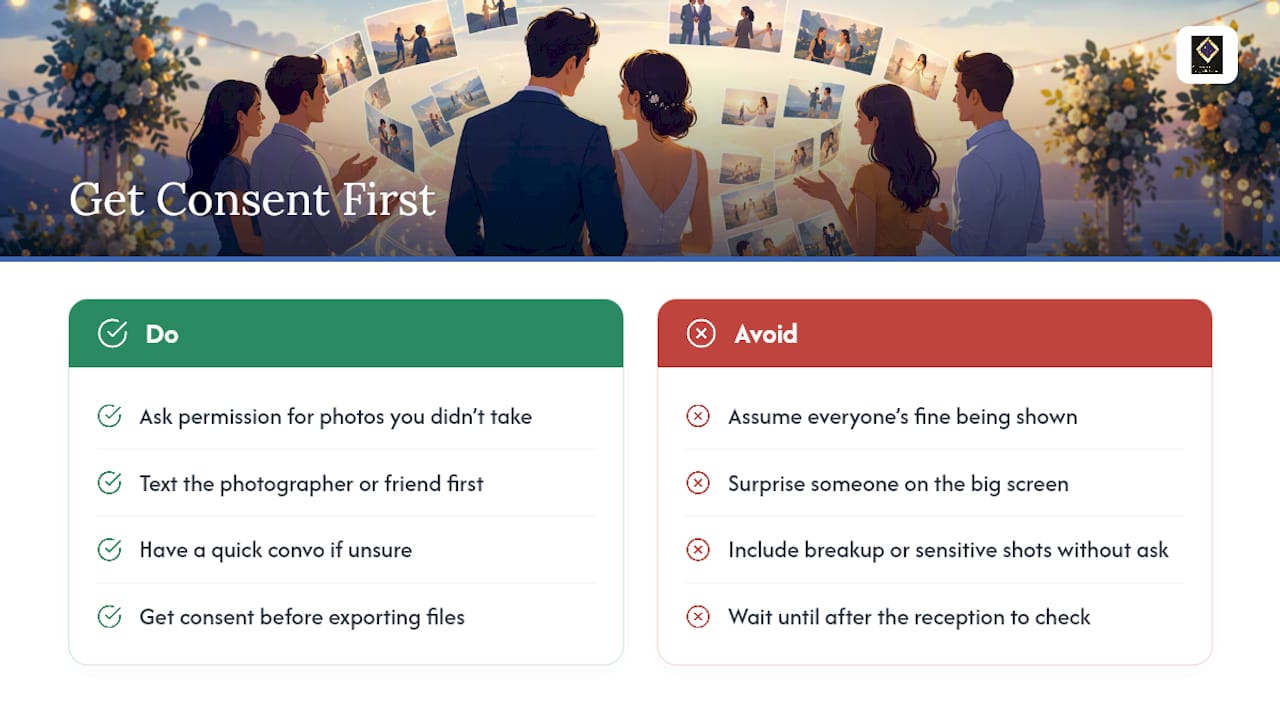
Featuring someone in your slideshow without a heads up can backfire, even when the intention is loving. A photo of a college friend's messy dorm room, an ex-roommate mid-costume-party, or a candid shot from someone else's wedding weekend deserves a quick check-in before it goes up on a screen in front of 150 people.
This matters most for photos that aren't yours originally. If a photographer, a family member, or a friend took the image, a quick text asking permission to use it costs you nothing and avoids an uncomfortable conversation later. The same logic applies to anyone still processing a breakup, a career change, or a personal situation they'd rather not have broadcast at your wedding.
Parents and grandparents are usually the easiest calls, since most people love seeing themselves as kids. Where it gets trickier is blended families, estranged relatives, or friends who've had a public falling out with someone else in the room. If you're unsure whether including someone will cause tension, a short conversation beforehand solves the problem far more cleanly than an awkward moment during the reception. Consent doesn't need to be formal. It just needs to happen before the file gets exported, not after someone spots themselves on screen and pulls you aside at the bar.
Handling Sensitive Photos Without Making It Awkward
Every family has at least one photo that seemed fine at the time and reads very differently on a 10 foot screen. A costume photo that leans a little too risqué, an old picture from a messy phase, or a shot involving alcohol at a college party can land badly with grandparents or younger cousins in the audience.
The safest filter is picturing the room. If a photo made your future in-laws shift in their seats, or make a cousin's kid ask an uncomfortable question, it doesn't belong in the final cut, regardless of how funny it seemed at the time. Politically charged images, anything referencing past relationships, and photos taken during a rough personal period all fall into the same category: leave them for a personal photo album, not a shared screen.
This also extends to inside jokes that only a handful of people understand. A photo that gets a big laugh from your college friends but leaves the rest of the room confused doesn't add anything to the story you're telling. Save it for the group chat instead. When you're genuinely unsure whether something crosses a line, pull it. A slideshow with 55 solid photos beats one with 60 photos and a single cringe-inducing moment everyone remembers for the wrong reason.
A Venue Host's Honest Take on Slideshow Day
Show the slideshow on purpose, keep it short, and test it early. That's the whole game, and coordinating with your venue is what actually prevents the problems couples worry about. In practice, the mistakes we see most often at events aren't content mistakes. They're technical ones: no backup file, an aspect ratio nobody checked, audio that never got routed to the right speakers.
Run your slideshow for a few family members before the wedding, on the same kind of screen it'll play on at the reception. Catching a stretched photo or a jarring song transition in your living room is a five minute fix. Catching it live, in front of 150 guests, is not.
— MARTIN
How The Ambassador Club Makes Your Slideshow Easy to Get Right
Some venues offer a large built-in projection wall and projector already wired into the room, so a slideshow doesn't depend on a rented screen or a borrowed setup nobody's tested. Staff may run your file on the venue's actual equipment before the wedding, catch aspect ratio or audio issues while there's still time to fix them, and slot your slideshow into your run sheet exactly where it fits your timeline.
Our event packages cover setup, cleaning, and coordination so the AV side of your day isn't something you're managing alone at the last minute. If you're planning a reception and want a space where a slideshow is easy to execute correctly, check availability and package details and ask about scheduling a walkthrough with our built-in projection wall before you book your date.
Sources
- The Ultimate Guide to Creating a Memorable Wedding Photo Slideshow | OurVows
- How to Make a Wedding Slideshow They'll Watch for Years | Tribute
- How to make a wedding slideshow | Capture
- TOP 10 LIST – How To Make A Wedding Slideshow
FAQ
Do People Still Do Slideshows at Weddings?
Yes, slideshows remain a common reception element, especially during dinner service when guests are seated and attentive. The key is scheduling it deliberately rather than squeezing it into a moment better suited to speeches or dancing.
How Many Slides Should a Wedding Slideshow Be?
A formal dinner-time slideshow works best with 40 to 80 photos for a 4 to 8 minute runtime. Cocktail hour background loops can run much longer, often 150 or more photos, since guests are glancing rather than watching continuously.
What Is the Ideal Runtime for a Wedding Slideshow?
Most guides recommend 5 to 8 minutes for a dedicated, formal showing. Beyond that, attention tends to drift, so trim toward the shorter end if your photo selection feels thin.
What Is the Best Time to Play a Wedding Slideshow?
Dinner service is the top choice because guests are already seated and facing the screen. Avoid running it during speeches, the first dance, or cake cutting unless it's specifically choreographed to support the moment.
Can I Use Any Music for My Wedding Slideshow?
It depends on where the slideshow will be played. Your venue's public performance license may cover live playback in the room, but posting the video online afterward typically requires a separate sync license, so royalty-free tracks are the safer default for anything shared digitally.
Does the Ambassador Club Support Slideshow Testing?
Yes, The Ambassador Club has a built-in projection wall and projector on-site, and staff can help test your slideshow file ahead of your event. Details on packages and scheduling are available through the venue's services page.