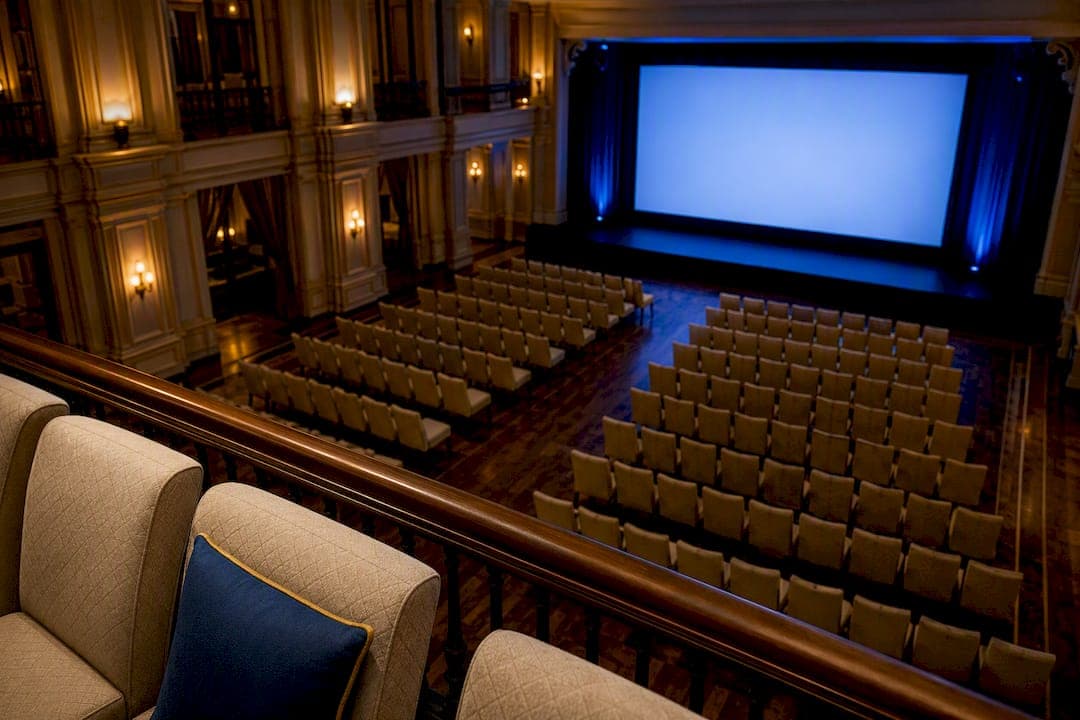
The screen height you need equals the distance to your farthest seat divided by six. That's the 1-to-6 rule; it's the fastest way to stop guessing. Before anything else, walk to the back row (or where it will be) and measure that distance. Pixel pitch and whether you go with LED or projection are secondary decisions that refine this number, not replace it.
TL;DR:
- Ensure the screen height is based on dividing the farthest seat distance by six unless the content is primarily video, then consider dividing by eight for a smaller, cost-effective option.
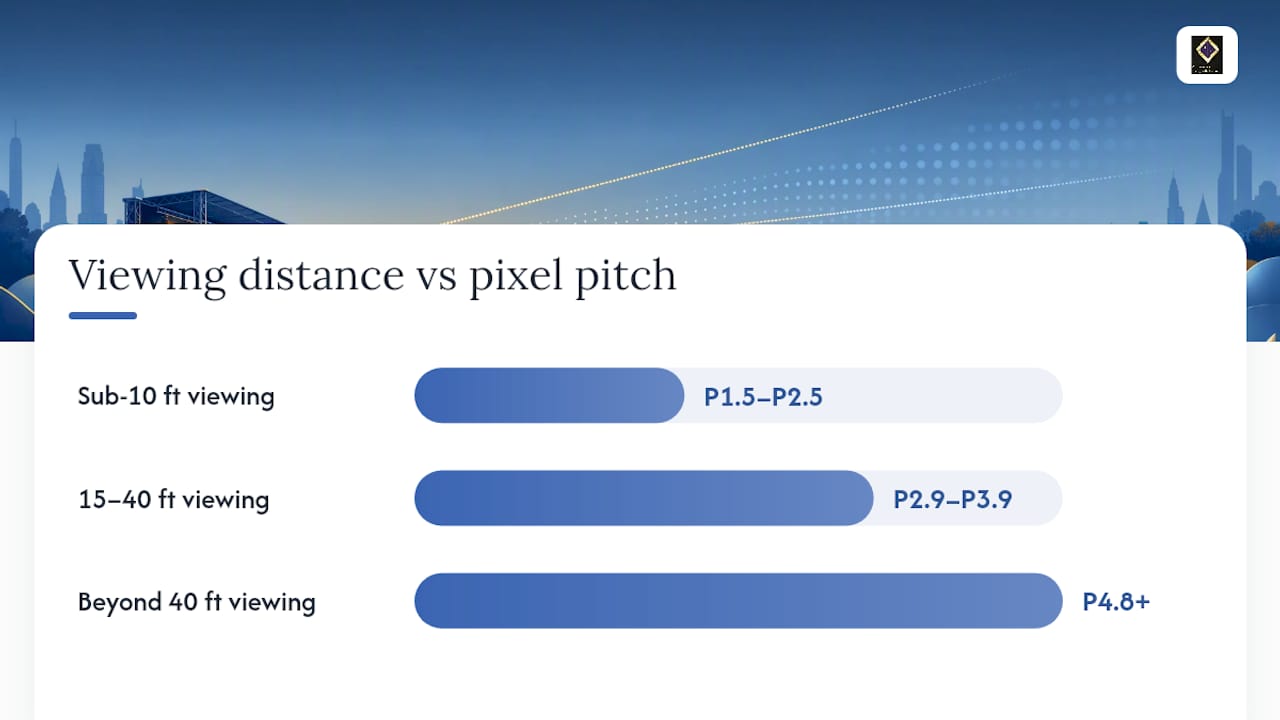
- Select pixel pitch according to viewing distance, with P1.5 to P2.5 for under 10 feet, P2.9 to P3.9 for 15 to 40 feet, and P4.8 to P5.9 for over 40 feet.
- Design content at the wall's native pixel dimensions to avoid stretching or blurry scaling, especially when projecting text-heavy slides or detailed graphics.
- Confirm site constraints such as bottom clearance, cabinet sizing, rigging, power, and load-in logistics before finalizing screen size and type.
Table of Contents
- Event Screen Size Rules of Thumb You Can Use Today
- How Viewing Distance and Pixel Pitch Work Together
- Screen Size Recommendations by Venue Type
- Projector vs LED Wall: Which One Fits Your Event
- Installation Constraints That Change Your Screen Choice
- Brightness Rules: Lumens and Nits for Ambient Light
- Content, Aspect Ratio, and Designing to the Native Canvas
- Common Screen Sizing Mistakes and a Pre-Event Checklist
- How the Ambassador Club Applies These Rules
- How Content Type and Viewing Angle Change Effective Screen Size
- Accessibility and Sightlines for Every Guest
- The One Trade-Off Every Planner Should Just Accept
- Book a Venue With AV Sizing Already Solved
- Sources
- FAQ
Event Screen Size Rules of Thumb You Can Use Today
Start with distance, not aesthetics. If your farthest viewer sits 60 feet from the screen, divide by six: you need at least a 10-foot-tall image. That's the 1-to-6 rule, and it protects legibility for text-heavy slides, financial charts, or anything with small type.
Some AV crews prefer the 8:1 ratio instead, which is more forgiving for video-heavy or emotionally driven content where reading small text matters less than watching motion. Divide the farthest distance by eight instead of six, and you'll land on a smaller, cheaper screen that still reads fine for keynote video and photography.
Once you have a target height, pixel pitch tells you how close someone can stand before the image looks grainy:
- Under 10 feet away: pixel pitch of P1.5 to P2.5
- 15 to 40 feet away: P2.9 to P3.9
- 40+ feet away: P4.8 to P5.9 often works and costs less
Height usually drives the sizing conversation, but width follows your aspect ratio. Lock height first, then let the 16:9 canvas set the width.
How Viewing Distance and Pixel Pitch Work Together
Pixel pitch is the distance between individual LED clusters, measured in millimeters. A tighter pitch packs more pixels into the same space, which means finer detail and a smoother image up close. A wider pitch is fine, even preferable, when nobody's standing near the wall.
The mismatch problem shows up constantly: planners spec a beautiful, budget-friendly P6.6 wall for a ballroom where the front table sits 12 feet away, and the picture looks like a Lite-Brite. Daktronics' pitch guidance maps this cleanly: sub-10-foot viewing wants P1.5 to P2.5, mid-range 15 to 40-foot viewing wants P2.9 to P3.9, and anything past 40 feet can drop to P4.8 or wider without anyone noticing the pixels.
Native canvas is the other half of this equation. LED walls are built from cabinets, typically 500mm square modules, and each cabinet carries a fixed pixel count. Multiply cabinets by pixels-per-cabinet and you get the wall's true resolution, its native canvas. This number rarely matches a clean 1920x1080 grid, which is exactly why designers need the actual dimensions before they build a single slide. Sending content built for a generic 16:9 template to a wall with a different native canvas causes stretching, letterboxing, or soft, blurry scaling that no amount of brightness fixes.
Pro Tip: If the wall will be on a broadcast camera or livestream, ask your vendor for one pitch class tighter than the in-room minimum. Camera sensors expose moiré and pixel structure that the human eye ignores.
Screen Size Recommendations by Venue Type
Venue type sets the ceiling on how big you can (or should) go, and it shapes the pitch you need. Here's a practical starting spec for five common formats.
- Small meeting rooms and boardrooms. For rooms where the farthest chair sits 15 to 20 feet out, an 8-foot-tall image is plenty. A 4K display in the 65 to 100-inch diagonal range often beats an LED wall here entirely, and size-to-distance charts built for TVs and monitors translate directly to this room size.
- Conference rooms and ballrooms. A typical 16'x9' LED wall or projection screen fits rooms with a 60 to 90-foot depth, running P2.9 to P3.9 pitch depending on how close the front tables sit.
- Auditoriums and general sessions. Once room depth passes 100 feet, screens commonly grow to 20'x11' or larger, and planners often add side screens or IMAG repeaters rather than one oversized center wall.
- Outdoor festivals and concerts. These screens often run 20 to 40+ feet wide, using P4.8 to P10 panels since viewing distances stretch well past 40 feet and sunlight demands serious brightness.
- Trade show booths. Sizing here is less about the farthest seat and more about stopping foot traffic from 15 to 20 feet away; a tighter pitch and bold, simple content matter more than raw size.
Typical size bands by event type give a useful sanity check against whatever a vendor first proposes.
Projector vs LED Wall: Which One Fits Your Event
Projectors still win on cost and speed for rooms you can darken and load in on short notice. A single projector and screen setup can be hung or ground-supported in under an hour, and rental costs run well below an equivalent LED wall. The tradeoff is ambient light: any ballroom with windows or house lights on full will wash out a projected image fast.
LED walls earn their higher price tag in bright rooms, outdoor daylight, and anywhere a broadcast camera is pointed at the stage. They also hold color and contrast at wide viewing angles better than most projection setups, which matters for wide ballrooms with seating on both sides of the aisle.
The logistics diverge sharply too:
- Projectors need lens throw distance and a mount point; LED walls need floor or rigging support and build time measured in hours, not minutes.
- LED walls snap to cabinet increments (commonly 500mm), so your final size is never quite the number you first picture.
- Power draw for a large LED wall can require dedicated circuits or a generator plan, while a projector runs off a standard outlet.
Before signing anything, get four answers from your vendor: native canvas dimensions, pixel pitch, brightness output in lumens or nits, and the rigging or ground-support plan.
Installation Constraints That Change Your Screen Choice
The screen size that looks right on paper often shrinks once site constraints show up. Confirm these before you order anything.
- Bottom-of-screen clearance. Industry practice keeps the bottom edge 3.5 to 4 feet off the floor so seated guests aren't staring at table centerpieces instead of the image. That clearance eats directly into your usable ceiling height.
- Cabinet multiples. LED walls are built from fixed cabinet sizes, commonly 500mm, so your wall snaps to whole-cabinet increments in both directions. This can nudge your aspect ratio off a clean 16:9 and is worth confirming before you finalize content specs.
- Rigging and floor load. Flown walls need engineering sign-off and rigging points; ground-supported walls need enough floor depth behind them for the support structure and enough load rating to hold the weight.
- Power. Large walls draw serious amperage, and older venues sometimes can't supply it without a generator or a dedicated feed.
Add a short site-survey pass to your planning: check elevator and door dimensions for load-in, confirm load-in hours with the venue, and verify rigging points exist before you commit to a flown configuration. Our venue size considerations guide walks through measuring these dimensions in more detail.
Brightness Rules: Lumens and Nits for Ambient Light
Ambient light changes the brightness math more than screen size does. A dimmed ballroom needs roughly 60 lumens per square foot of screen; standard room lighting with some house lights on pushes that to 80 to 90 lumens per square foot, and heavy daylight demands 100 to 120.
Take a 10-foot by 17.8-foot screen (a standard 16:9 canvas), which works out to about 178 square feet. At 80 lumens per square foot for a normally lit ballroom, that's roughly 14,000 lumens needed from your projector, or a stack of two units. Double the screen area and you roughly double the lumen requirement, which is why bigger isn't always better when your room has windows.
LED walls skip lumens for nits. Indoor bright spaces generally need 1,500 to 2,500 nits; outdoor daylight walls need 5,000 to 6,000 nits or more to stay visible against direct sun.
Content, Aspect Ratio, and Designing to the Native Canvas
The wall's cabinet count fixes its true resolution, its native canvas, and that number rarely lines up with a clean 1920x1080 grid. Designing at the wall's actual pixel dimensions instead of a generic template avoids the soft, stretched look that shows up when content gets rescaled at the last minute.
Sixteen-by-nine remains the standard for modern keynote and presentation content, and converting from height is straightforward: a 10-foot-tall canvas needs roughly 17.8 feet of width to hold that ratio.
Before content goes to design, request: the exact native canvas dimensions, the safe area for text and graphics, frame rate, codec requirements, and a backup source format. For hybrid events layering a speaker feed, slides, and a livestream chat panel on one wall, confirm the layout early. Multi-source compositions eat into usable space fast, and nobody wants to discover that on show day.
Common Screen Sizing Mistakes and a Pre-Event Checklist
The same handful of mistakes show up on RFPs over and over. Sizing to the front row instead of the back row is the biggest one, followed by ignoring pixel pitch entirely, skipping the clearance check, and forgetting that camera imaging needs a tighter pitch than the naked eye.
- Measure the distance to the farthest seat, not the closest one.
- Confirm pixel pitch matches that distance.
- Request the native canvas template before content design starts.
- Test full-content playback on-site, not just a static slide.
- Confirm power and rigging sign-offs in writing before load-in.
If the chosen screen underperforms on-site, adding a side repeater screen or a tighter-pitch center section usually costs less than reordering the entire wall.
How the Ambassador Club Applies These Rules
Inside our 6,000-square-foot hall, we set bottom-of-screen clearance to protect sightlines from every banquet table, not just the front rows. The built-in projection wall and projector stay fixed to that measurement, so setup doesn't shift table by table. It's the same 1-to-6 logic, just already solved for you.
How Content Type and Viewing Angle Change Effective Screen Size
The same physical screen size performs differently depending on what's playing on it. Dense text, spreadsheets, or fine-print legal slides need the full 1-to-6 minimum height, because small characters demand resolution the eye can actually parse from the back row. Video, photography, and motion graphics are more forgiving. Viewers track movement and color even when individual pixels aren't sharp, which is why the looser 8:1 ratio works fine for a highlight reel but fails for a data-heavy quarterly report.
Viewing angle matters just as much as distance. LED panels typically hold brightness and color accuracy across a wider horizontal angle than most projection screens, which lose contrast fast when viewed from the far sides of a wide room. If your seating fans out beyond roughly 45 degrees off-center from the screen, that's a strong argument for LED over projection, or for adding a second screen angled toward the side seating.
Content that mixes both, a keynote with slides and video cutaways, needs the more conservative sizing standard. Build for the small text, not the video. It's easier to make a video look great on an oversized wall than to make a paragraph of text legible on an undersized one.
Camera presence changes the calculation again. Anything captured for a livestream or projected as IMAG needs a tighter pixel pitch than the in-room minimum, because camera sensors expose pixel structure and moiré patterns that the human eye simply filters out.
Accessibility and Sightlines for Every Guest
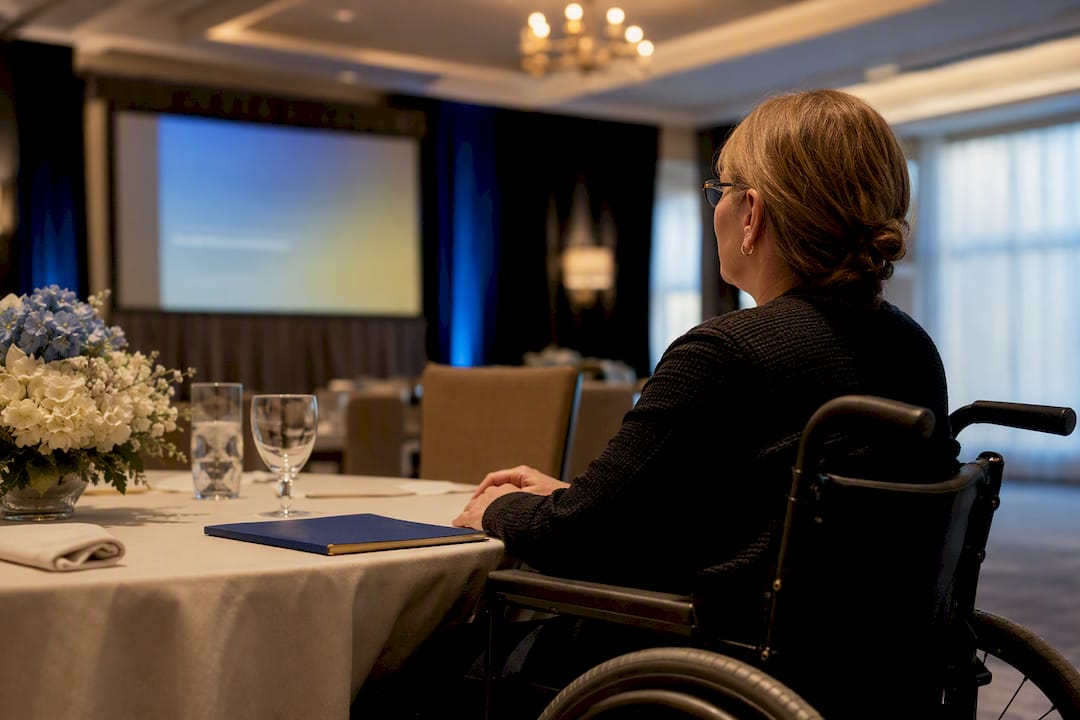
Screen sizing decisions affect more than the back row. Guests using wheelchairs or seated at accessible tables often sit at a fixed height and position that a planner doesn't control the way they control standard seating charts. Confirm sightlines from those specific seats during your walkthrough, not just from the general seating average, since a screen positioned for standing eye-level can end up partially blocked by a stage lip or a floral centerpiece from a lower vantage point.
Color contrast matters for guests with low vision. High-contrast text (dark background, light text or vice versa) reads better at distance than pastel-on-white slides, regardless of screen size. This costs nothing to fix and solves a legibility problem that a bigger screen alone won't.
For guests who are deaf or hard of hearing, screen space needs to account for open captioning or ASL interpretation feeds if the event includes them. That's an additional content zone competing for room on the same canvas, and it should factor into your aspect ratio and layout planning well before show day.
Wide rooms with seating on both flanks benefit from either a screen with strong off-angle brightness retention or a second screen angled to cover the far side. Our conference vs banquet setup guide breaks down how seating configuration interacts with these sightline decisions in more depth.
The One Trade-Off Every Planner Should Just Accept
Every planner eventually weighs legibility against how a massive screen looks against a nicely dressed stage. When in doubt, size up. A screen that's slightly too big is forgettable; one that's too small makes half the room squint through your keynote. Measure the farthest seat first, and let that number settle the argument.
— MARTIN
Book a Venue With AV Sizing Already Solved
Skip the vendor calls, the rigging approvals, and the pixel-pitch spreadsheets. Ambassador Club Portsmouth's historic hall comes with a built-in projection wall and projector already sized and positioned for its 6,000 square foot layout, accommodating up to 200 guests without a single site survey on your end.

That's the real advantage over sourcing a rental wall yourself: the sightline math, clearance height, and brightness calibration are already done for the room you'll actually be standing in. You still get full flexibility on catering and setup, but the screen decision is one less thing competing for your attention in the weeks before your event. If you're planning a wedding, corporate event, or milestone celebration, check dates and AV details on the Ambassador Club Portsmouth booking page and get your questions answered directly.
Sources
- Choosing the right pixel pitch
- Projector screen sizing guide & calculator (1-to-6 rule)
- LED video wall sizing: getting it right for audience and venue
- TV size to distance relationship
FAQ
What Is the Recommended LED Screen Size for an Event?
There's no single number. Measure the farthest seat, divide by six for the minimum height, then match pixel pitch to your closest viewer using the ranges outlined in the pixel-pitch section above.
What Are the Dimensions of a 120-Inch Theater Screen?
A 120-inch diagonal screen in the standard 16:9 aspect ratio measures a moderate size suitable for mid-sized rooms, matching farthest viewers sitting well under the 1-to-6 rule thresholds.
What Size Is a 200-Inch Screen?
At 16:9, a very large screen size is typically reserved for larger conference rooms or ballrooms rather than boardrooms, matching distances greater than typical small meeting rooms.
What Is the 4-6-8 Rule for Projectors?
This is a variation on the same viewing-distance logic covered above: some AV guides use a 4:1 ratio for detailed content, 6:1 for standard presentations, and 8:1 for video-heavy material, dividing the farthest viewing distance by whichever number matches your content type.
How Do I Know If I Need a Projector or an LED Wall?
Choose a projector for darkened rooms on tighter budgets and quick load-ins; choose LED for bright venues, outdoor events, or anything captured on camera, as covered in the projector versus LED wall section above.