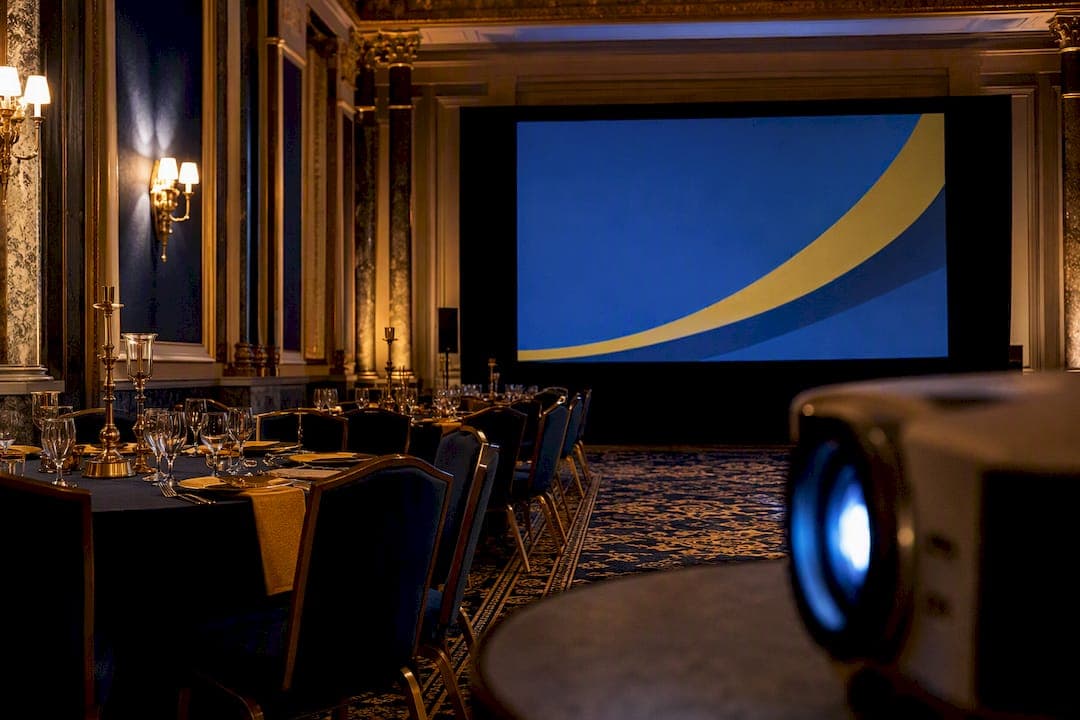
For a small dimmed meeting room, a moderate amount of ANSI lumens is sufficient; a standard conference room with some ambient light needs a higher range; a full ballroom requires significantly more lumens; and anything outdoors or in daylight calls for very high brightness. Always confirm the number on the spec sheet is ANSI lumens, and add a 20 to 30 percent buffer for video content and lamp aging.
TL;DR:
- For events in rooms with significant ambient light, such as daylight venues or brightly lit halls, plan for at least 20,000 to 30,000 lumens; outdoor events often require 15,000+ lumens.
- Use the room's size and lighting conditions to calculate required lumens: for example, a 16-foot by 9-foot screen in a dimmed ballroom needs around 10,400 lumens with a safety buffer.
- Always verify that projector specifications specify ANSI lumens and add a 20 to 30 percent buffer when projecting video content or live camera feeds to prevent washout.
- Long throw distances, high-gain screens, or existing venue lighting may require adjusting lumen needs upward, while content type (videos versus static slides) significantly influences brightness requirements.
- Laser projectors are preferred for high-brightness needs above 8,000 lumens, especially in large venues; LED units offer longer lifespan but generally produce lower peak lumens.
Table of Contents
- Projector Lumens for Events: Quick Ranges by Scenario
- How Do You Calculate the Lumens You Actually Need?
- What Else Changes Your Lumen Requirement?
- Choosing the Right Projector Technology and Planning Checklist
- Applying the Math in a 6,000-Square-Foot Ballroom
- Why Planners Overthink the Lumen Number and Underthink the Room
- Sources
- FAQ
Projector Lumens for Events: Quick Ranges by Scenario
Every one of those ranges assumes a screen with neutral 1.0 gain and a reasonably controlled amount of ambient light. Push toward the top of a range when the house lights stay on, when you're projecting camera feeds (IMAG) instead of static slides, or when the screen is unusually large for the room. Stay near the bottom when the room can go fully dark and the content is simple text or graphics.
| Event scenario | Typical screen width | Recommended ANSI lumens |
|---|---|---|
| Small meeting, lights dimmed | 6 to 8 ft | 2,000 to 3,000 |
| Standard conference room, some ambient light | 8 to 10 ft | 3,000 to 5,000 |
| Medium banquet room | 10 to 14 ft | 5,000 to 8,000 |
| Full ballroom or large reception hall | 14 to 20 ft | 8,000 to 14,000 |
| Outdoor evening event or bright exhibit hall | 16 to 24 ft | 15,000+ |
A few things shift these numbers in practice:
- Rooms with floor-to-ceiling windows or stage lighting rigs push you toward the top of the range even at a modest screen size.
- Wedding slideshows in a dimmed reception hall can often get away with the lower end, while a corporate keynote with a live camera feed needs the higher end of the same room's range.
- ANSI lumens is the number to check first. Some spec sheets list "color light output" or ISO figures instead, and those aren't directly comparable to ANSI ratings.
These ranges line up with the scenario-based recommendations used across the AV rental industry, which ties lumen requirements directly to ambient light and screen size rather than treating brightness as a single fixed number.
How Do You Calculate the Lumens You Actually Need?
The ranges above get you in the ballpark. If you want a number tied to your actual room, run this formula: required lumens equal screen area in square feet multiplied by an ambient-light multiplier.
The multiplier depends on how dark you can get the room. A dimmed ballroom uses roughly 60 lumens per square foot, a standard room with the lights on runs 80 to 90, and a glass-walled daylight venue climbs to 100 to 120.
Here's a worked example. Say your screen measures 16 feet by 9 feet, which is 144 square feet.
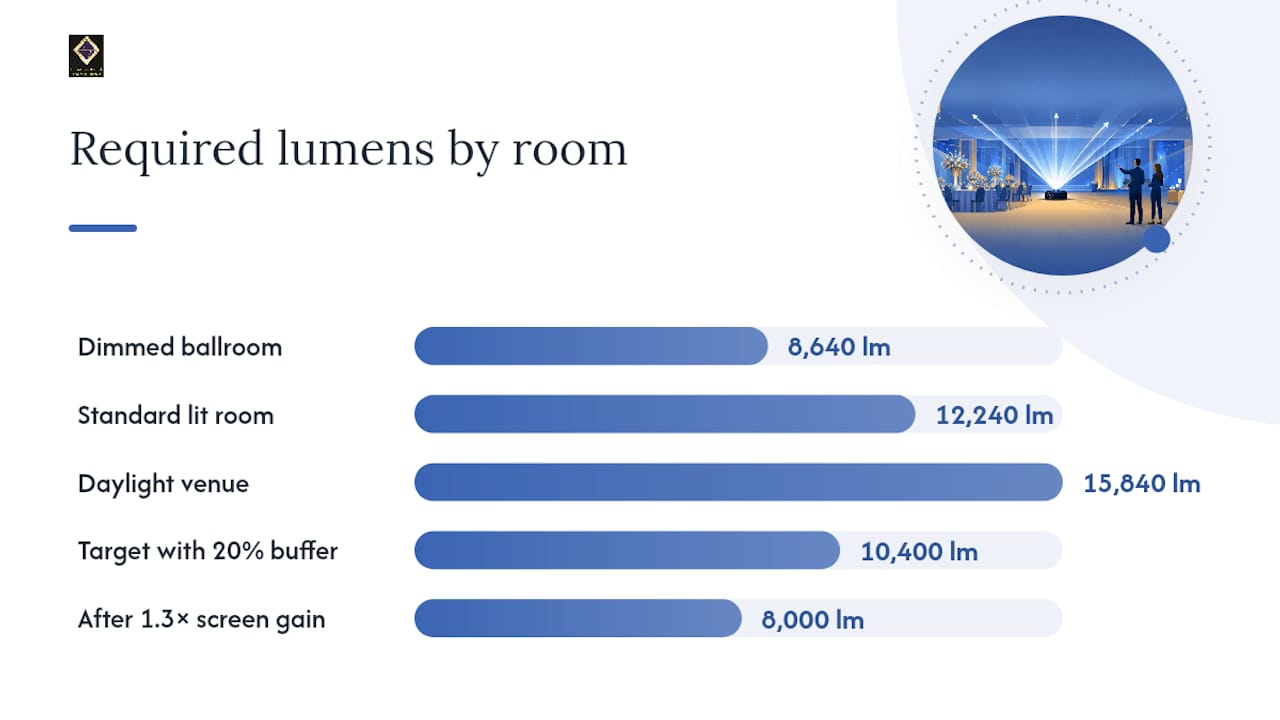
- Dimmed ballroom: 144 × 60 = 8,640 lumens
- Standard lit room: 144 × 85 = 12,240 lumens
- Daylight venue: 144 × 110 = 15,840 lumens
Take that dimmed-ballroom figure of 8,640 lumens and add a 20 percent safety buffer for lamp aging, video content, and picture-mode settings, and you land around 10,400 lumens as your real target.
Pro Tip: If your screen has a gain rating above 1.0, divide your required lumens by that gain value before shopping for a projector. A gain of 1.3 on a 10,400-lumen requirement drops your actual projector need to about 8,000 lumens.
Once you have a number, use a calculator built for venue lumen sizing to double-check your math against screen gain and room type, and always verify the manufacturer is quoting ANSI lumens rather than a peak or color-only figure.
What Else Changes Your Lumen Requirement?
The formula gets you close, but a handful of real-world factors push the target up or down, and ignoring them is how planners end up with a washed-out screen on event day.
Ambient light is the biggest variable. Daylight through windows is the harshest condition, followed by theatrical or house lighting left on for note-taking, followed by a fully dimmed room, which needs the least brightness by far. AV specialists at AVIXA point out that avoiding image washout, not chasing a high lumen number, should be the actual goal.
Screen gain trades brightness for viewing angle. A neutral 1.0 gain screen looks consistent from almost any seat, which is exactly what you want at a banquet with round tables scattered across the room. High-gain and ambient-rejecting screens can look brighter head-on, but guests seated at wide angles will see a dimmer, sometimes uneven image.
Content type matters more than most planners expect. Static slides with light backgrounds are forgiving. Video, dark cinematic content, and especially camera-fed IMAG footage amplify washout, so bump your target toward the higher end of whatever range you calculated.
- Text-heavy slides: use your calculated baseline
- Video or photo-heavy slideshows: add 10 to 15 percent
- Live camera feeds (IMAG): add the full 20 to 30 percent buffer
Throw distance and lens choice also factor in. A long throw distance in a wide ballroom can require a specific lens or, in very large rooms, a second projector positioned to cover the far half of the audience evenly.
Choosing the Right Projector Technology and Planning Checklist
Lamp-based projectors are the cheapest option but lose brightness over their life and need bulb replacements. LED units run cooler and last longer, though they typically top out at lower peak lumens. Laser projectors hold their brightness far more consistently over time and dominate the high-lumen range, which is why most AV rental companies default to laser units for anything above 8,000 lumens.
For a ballroom, exhibit hall, or any event needing 10,000-plus lumens, renting a laser system almost always beats buying. Consumer and prosumer projectors rarely reach that output, and the ones that do carry a price tag that only makes sense for a rental company's inventory, not a one-time event.
Run this checklist the day of the event:
- Confirm the projector is set to its brightest accurate picture mode, not an eco or power-saving default.
- Play actual event content, not a test pattern, to check for washout under real lighting.
- Verify throw distance and focus with the screen in its final position.
- Build in a setup buffer of at least 30 minutes before doors open for adjustments.
- Recheck screen gain and viewing angles from the worst seats in the room, not just the center.
Pro Tip: For events with a live camera feed, consider an LED video wall instead of a projector. Cameras amplify glare and washout in ways a projected image rarely recovers from once the room lights come up. If you're also mapping out venue power needs for large AV setups, event power planning is worth reviewing before you finalize a rental order.
Applying the Math in a 6,000-Square-Foot Ballroom
A room the size of Ambassadorclubportsmouth's 6,000 square foot hall almost never gets by on a single mid-range projector once you factor in screen distance and back-row sightlines. At that footprint, most AV vendors reach for either a laser unit rated 10,000 lumens or higher, or two projectors edge-blended to cover a wider screen evenly. A single lower-output unit will look fine up front and noticeably dim by the back tables.
Venues with a fixed built-in projector or architectural uplighting add another wrinkle. That existing hardware might not hit the lumen target for a daytime corporate event with the drapes open, so the AV plan sometimes calls for a supplemental unit or a different screen placement altogether. This is exactly why venue teams and event planners need to talk through AV specs before booking, not the week of the event. A banquet hall's built-in features can either simplify this decision or complicate it, depending on how flexible the lighting and screen setup already are.
Getting the seating layout right matters just as much as the lumen count. A conference-style setup versus a banquet layout changes viewing angles enough to shift which end of your lumen range you should target.
Why Planners Overthink the Lumen Number and Underthink the Room
The math in this guide is simple on purpose, and that's exactly why so many planners get tripped up. They fixate on hitting a precise lumen figure and forget that the number is only useful in context. A 10,000-lumen projector aimed at a high-gain screen with guests seated at wide angles can look worse than an 8,000-lumen unit on a neutral screen positioned correctly.
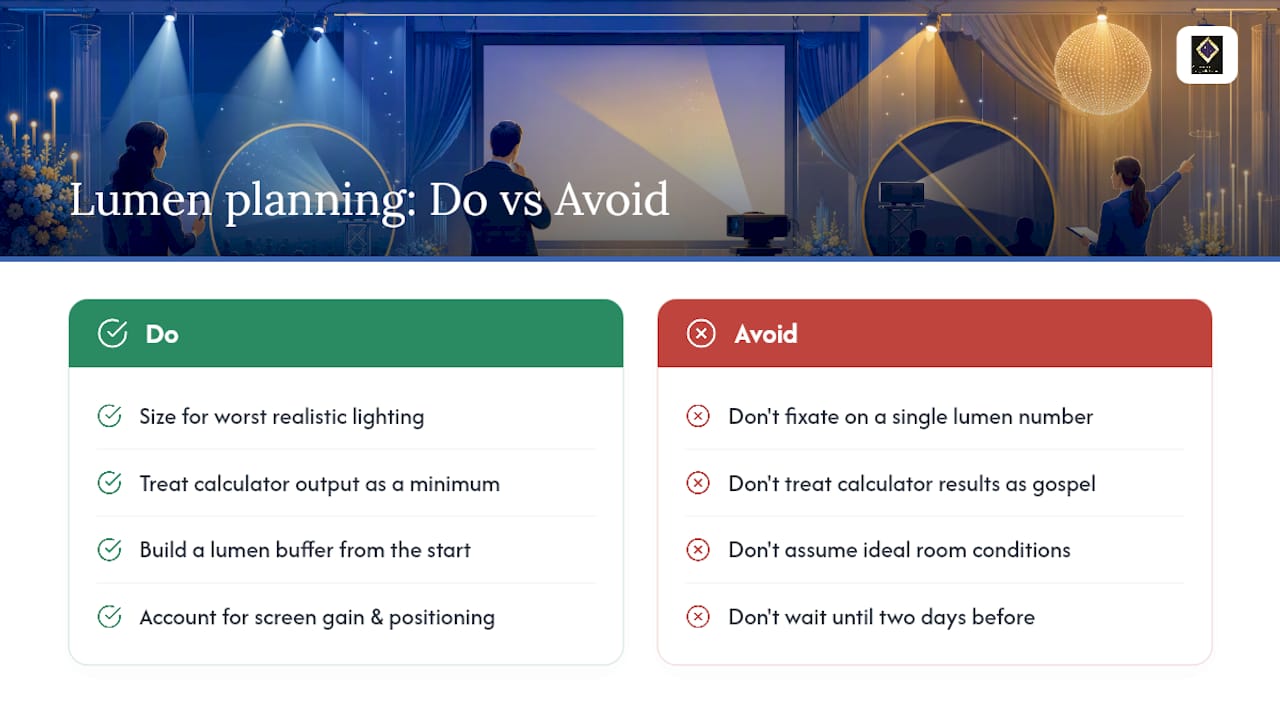
The bigger mistake I see is planners treating the calculator output as gospel instead of a floor. The formula tells you the minimum to avoid washout under the conditions you plugged in. It doesn't account for a groom who decides to leave the string lights on during the slideshow, or a keynote speaker who insists on a live camera feed nobody budgeted for. Build the buffer in from the start, because asking a rental company for a bigger unit two days before the event usually costs more than getting it right the first time.
If there's one habit worth adopting, it's this: size for the worst lighting condition your event might realistically hit, not the best one you're hoping for.
— MARTIN
Sources
- How many lumens do I need to project in daylight? | MeyerPro
- Centric
- Projector lumens for venue calculator (ANSI) | CalQpro
FAQ
Is 5,000 Lumens Bright Enough for a Projector?
For a small to medium room with some ambient light and a screen under 10 feet wide, 5,000 lumens is usually sufficient. In a large ballroom or a room with heavy daylight, it will likely wash out toward the edges.
Is 10,000 Lumens Bright for a Projector?
Yes, 10,000 ANSI lumens is considered high-output and typically covers a full ballroom or large reception hall, including rooms with moderate ambient light. It's the range most AV rental companies reach for when covering a wide screen or a room with mixed lighting.
Is 20,000 Lumens Bright for a Projector?
Yes, 20,000 lumens is suitable for outdoor and bright exhibit settings, including daylight events and large trade show floors where ambient light can't be controlled.
Is 30,000 Lumens Good for a Projector?
30,000 lumens is generally reserved for large-scale outdoor productions, stadium screens, or major exhibit installations and is not typically needed for standard banquet or conference events.
How Much Extra Lumen Buffer Should I Add for Video Content?
Add roughly 20 to 30 percent above your calculated minimum when the program includes video, dark footage, or a live camera feed, since these content types are more prone to washout than static slides.